What is end-to-end automation for small businesses?


What end-to-end automation means and why it matters
End-to-end automation connects every step of a business process into one continuous flow, from the initial trigger right through to the final outcome, with no manual handoffs in between. Think of an online order that automatically generates an invoice, updates your inventory, triggers a shipping label, and sends a customer confirmation, all without anyone touching a keyboard. That is end-to-end automation in practice.
How end-to-end automation workflows actually work
Automation connects tasks across departments and software tools through triggers and decision logic, with no manual handoff required between steps.

Common workflow types for small businesses:
WorkflowWhat gets automatedOrder-to-cashOrder capture, invoicing, payment, accounting updateMarketing campaignsLead capture, email sequences, CRM tagging, reportingInvoicing and payablesInvoice extraction, approval routing, payment settlementInventory managementStock alerts, reorder triggers, supplier notifications
The technologies making this possible include Robotic Process Automation (RPA) for rule-based tasks, Business Process Automation (BPA) for broader workflow orchestration, and ERP or CRM integrations that pass data between systems. Workflows are typically mapped using BPMN standards, which document decision points and approval gates visually, making audits straightforward.
The shift worth watching in 2026 is toward agentic workflows: context-aware automation that monitors changes, proposes next actions, and adapts to new conditions rather than following rigid rules. It is a meaningful step beyond classic RPA, and it is already accessible to small businesses through modern SaaS platforms.
Best practices for implementing automation without losing control
1. Start at integration points, not system replacements
The fastest ROI comes from automating data handoffs between your existing tools, not ripping out your accounting software or CRM. Connect what you already have before buying anything new.
2. Build human-in-the-loop checkpoints
HITL checkpoints are non-negotiable for financial approvals, client communications, and any step touching sensitive data. Automation prepares and validates; a person approves and sends.
3. Roll out in phases
Pilot one workflow, measure it, then expand. Phased deployment builds staff confidence and surfaces problems before they scale.
Pro Tip: Map your most error-prone manual process first. That is almost always where automation pays off fastest and where staff will welcome the change most readily.
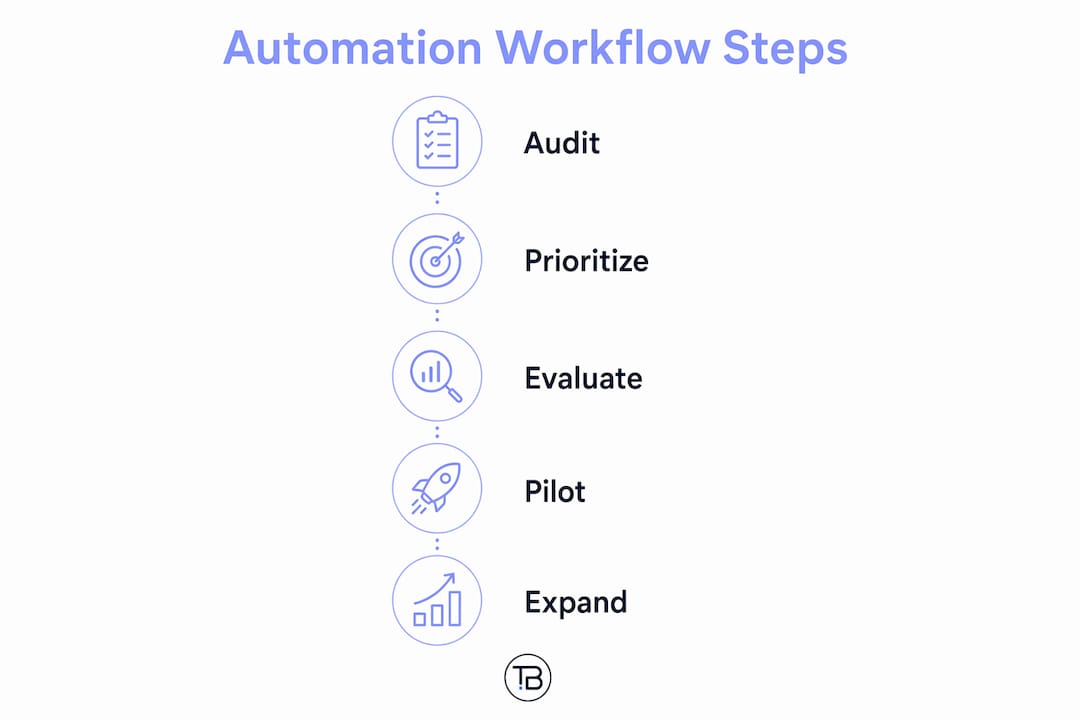
A practical roadmap to get started with automation
1. Audit your current workflows
List every process that involves manual data entry, copy-paste between tools, or waiting for someone to forward information. These are your automation candidates.
2. Rank by friction and volume
Prioritise workflows that happen daily and cause the most errors or delays. Order processing and invoicing are common starting points for small business automation.
3. Evaluate tools against your existing stack
Look for platforms with native integrations to your current software. Affordable options exist for businesses at every stage; you do not need enterprise pricing to start.
4. Run a pilot with HITL validation
Automate one workflow end-to-end, keep a human checkpoint at the final step, and run it for 30 days. Measure error rates, time saved, and staff feedback. Building a business automation checklist before you launch keeps the pilot structured.
5. Expand and monitor
Once the pilot proves out, extend automation to adjacent workflows. Track KPIs monthly: processing time, error rate, cost per transaction. Adjust decision logic as your business evolves.
Tech Business Development cuts the guesswork out of automation
Half the cost savings from automation disappear when businesses spend months choosing tools, configuring integrations, and troubleshooting broken workflows on their own. Tech Business Development handles the full setup for Canadian small businesses, from workflow mapping and tool selection through to live deployment, at rates built for local budgets rather than enterprise contracts.

The offering goes beyond automation alone. Google Business Profile, GA4, GTM, AdWords, SEO, and website builds with domain and hosting are all handled in-house, so your automated workflows connect directly to a digital presence that is already tracking and converting. No juggling five vendors.
If you are ready to stop losing hours to manual processes, see what Tech Business Development offers and get a clear picture of where automation fits your operation.
Key takeaways
End-to-end automation delivers the strongest results when it connects existing tools at integration points, keeps humans in the approval loop, and rolls out in phases rather than all at once.
PointDetailsStart at integration pointsAutomate data handoffs between existing tools before replacing any core system.HITL checkpoints are non-negotiableKeep humans in the approval seat for financial, sensitive, or client-facing steps.PIPEDA compliance appliesCanadian privacy law governs how personal data flows through automated workflows.Phased rollout reduces riskPilot one workflow, measure results, then expand to adjacent processes.Tech Business DevelopmentProvides end-to-end automation setup for Canadian small businesses, reducing operational costs by up to 50%.