Remove Fake Google Reviews: 5 Pieces of Evidence for Small Businesses


You cannot delete a Google review yourself, even a fake one. Google removes reviews only when they break its Maps and Business Profile content policies, so your first move is to flag the review through Search, Maps, or your Business Profile, then build an evidence file in case you need to appeal. If the review is part of extortion or a coordinated attack, use Google’s merchant extortion report and consider filing with the FTC.
TL;DR:
- Flag suspicious reviews through Maps or your Business Profile and gather evidence like transaction logs, reviewer profiles, and similar review patterns for effective appeals.
- Report fake reviews under specific violation categories such as conflict of interest, spam, or off-topic content, ensuring your evidence directly addresses the policy breach.
- Organize and submit comprehensive evidence files, including screenshots and records, because unbacked flags are unlikely to result in removal after human review.
- Use official channels like Google’s review management tools or direct support, avoiding vague “spam” reports, to improve the chances of a successful removal.
- Consider professional review monitoring and evidence packaging from a service provider to manage ongoing review disputes more efficiently and reduce your operational burden.
Table of Contents
- How to spot a fake or inauthentic review
- How do I report a fake Google review?
- What evidence do you need before you appeal?
- What if Google rejects your removal request?
- What should you do while your appeal is pending?
- Can you report fake reviews to the FTC or police?
- The Tech Business Development view on fighting fake reviews
- What actually matters when a fake review hits your listing
- Let Tech Business Development handle your review defence
- Official pages worth bookmarking
- Sources
- FAQ
How to spot a fake or inauthentic review
Not every one-star review is fake, and treating every angry customer as a fraud case will waste your appeal. Google only acts on reviews that break its policies, not reviews you simply disagree with, so learning to tell the two apart is the real skill here.
Timing and volume patterns are usually the first tell. A business that gets two reviews a month suddenly getting eight negative reviews in 48 hours, often with near-identical wording, points to a coordinated push rather than organic complaints.
Reviewer account signals matter almost as much as the content itself. Brand-new Google accounts with no profile photo, a single review ever posted, or a review history that jumps between a plumber in Ohio and a dentist in Sydney with the same generic complaint, all suggest a fake or paid reviewer rather than an actual customer.
Conflict of interest is another category Google explicitly bans. If you can trace a reviewer back to a competitor’s staff, a former employee with an axe to grind, or someone connected to a business dispute, that is grounds for a policy violation report, not just an off-topic one.
Content clues often give away a fake review faster than anything else:
- Mentions of services, products, or menu items your business has never offered
- References to the wrong city, wrong address, or a location you don’t operate
- Unsubstantiated claims of criminal activity, fraud, or safety violations with no specifics
- Reviews that talk about corporate policy, franchise ownership, or topics with nothing to do with an actual visit
Pro Tip: Before reporting anything, click through to the reviewer’s full profile. If every one of their reviews reads like a copy-paste complaint against unrelated businesses, screenshot the whole list. That pattern alone is often stronger evidence than the review itself.
How do I report a fake Google review?
Reporting the right way, through the right channel, changes your odds. Google gives you two starting points depending on whether you’re acting as a member of the public or as the verified business owner, and then a dedicated tool for anything that needs a paper trail.
- Flag it from Maps or Search. Open the business listing, find the review, click the three-dot menu, and select “Report review.” This works for anyone, and Google’s automated systems scan the flagged content against its policies within a few days for straightforward spam or duplicate-content cases.
- Report it as the verified owner. Sign in at business.google.com, go to Reviews, find the review in question, and select Report. Owner reports carry more procedural weight because Google can confirm you’re the affected party, which is part of why verifying your listing properly matters before you ever need to dispute a review.
- Escalate through the Reviews Management Tool. For anything with real evidence behind it, IE fake engagement, conflict of interest, off-topic content, this is where you submit documentation, receive a case ID, and track appeal eligibility rather than just filing a flag and hoping.
- Choose the correct violation category. Google’s policy names matter: spam and fake engagement, conflict of interest, off-topic content, and harassment or hate speech are treated as distinct categories, and Google’s own reporting guidance confirms only reviews matching a defined violation get removed, not reviews that are merely unfair.
Pro Tip: Skip the temptation to report a review as “spam” just to get it in front of someone faster. Industry data from BrightLocal’s removal research shows that correctly matching the review to its actual policy violation, and backing that category with evidence, is what moves an appeal from rejected to removed.
What evidence do you need before you appeal?
A flag with no backup rarely survives a human review. Google’s own reviewers are checking whether your claim holds up against something concrete, so the businesses that win removals are the ones that hand over a file, not a complaint.
Build your evidence around these categories:
- Transaction logs, booking calendars, or point-of-sale records for the date and time the review claims to describe
- Your actual menu, service list, or product catalogue, dated, to prove the review references something you don’t sell
- Screenshots of the reviewer’s profile, including their other reviews and posting timestamps
- Side-by-side captures of near-identical review text posted across multiple businesses, plus any social posts soliciting reviews that you can find publicly
- Any internal communication (an email thread, a staff note) documenting a prior dispute with the reviewer, if a conflict of interest is at play
Organize everything before you submit anything. Name files by date and category, bundle related evidence into a single PDF per claim, and keep untouched original screenshots separate from any annotated copies you make for the case file.
BrightLocal’s guidance notes that appeals backed by verifiable documentation, records a neutral party could check independently, succeed far more often than a plain assertion that a review is fake. Google’s own detection systems already remove a large share of clearly spammy content automatically, according to Google’s explanation of how Maps reviews work, which means the reviews still standing after that first pass are usually the harder cases: the ones that need your evidence to tip a human reviewer’s decision.
What if Google rejects your removal request?
A denial isn’t the end of the process, but it does mean you need a sharper appeal, not a louder one. Google generally allows one appeal per review through its formal channel, so the second attempt has to actually address whatever the first one missed.
- File a narrow, policy-specific appeal. Go back into the Reviews Management Tool and resubmit, this time naming the exact policy clause violated and attaching only the evidence that speaks directly to that clause.
- Contact Google Business Profile support directly. Reference your existing case ID, request a callback or live chat, and come prepared with your evidence already organized rather than explaining the situation from scratch.
- Post in the Google Business Profile Community. This public forum is monitored by Google Product Experts who can sometimes flag stubborn cases for internal review; include your case ID, a summary of the violation, and what you’ve already tried.
- File a merchant extortion report if money is involved. If the review came with a demand for payment to remove it, that’s a distinct category Google tracks separately from a standard policy dispute, and it should be reported as extortion, not appealed as a normal review.
If your profile itself is caught up in a related dispute or suspension while this plays out, a guide to Business Profile suspensions covers how that separate process works.
What should you do while your appeal is pending?
Waiting on Google doesn’t mean doing nothing. The businesses that come out ahead treat the pending period as damage control, not dead time.
- Post a short, neutral public reply. Invite the reviewer to contact you directly instead of arguing the details in public. Accusatory replies read badly to everyone else browsing your listing.
- Ask satisfied customers for honest reviews. This doesn’t erase a fake one, but it dilutes its visibility and reassures anyone comparing your rating against a single bad post.
- Set up a routine review check, weekly at minimum, so a second or third suspicious review doesn’t sit unnoticed and undocumented for a month.
- Never pay a reviewer to take down content, and never negotiate with someone threatening to post negative reviews unless paid. Document the demand and report it instead.
Pro Tip: Keep a running log every time you check your reviews, even on weeks when nothing looks wrong. That habit alone builds the timestamped pattern evidence you’d need if a slow-building fake review campaign turns out to be coordinated.
Can you report fake reviews to the FTC or police?
Yes, and for certain cases it’s the more useful move. Google’s own removal process only checks reviews against its content policies, but a coordinated fake-review scheme or an extortion attempt can also be a legal matter regulators actively pursue.
- Report deceptive review schemes and suspected fraud to ReportFraud.ftc.gov, which the FTC operates specifically for this kind of consumer harm.
- Understand that regulators want structured records, dated logs, screenshots, and communications, while Google’s team is narrowly focused on whether a specific policy was broken.
- Know that suing Google directly over a review rarely gets anywhere; identifying the actual reviewer and pursuing a defamation claim against that person is usually the more realistic legal route.
- Keep every piece of evidence in its original, unedited form, since anything you plan to use in a legal or regulatory complaint needs to withstand scrutiny later.
The FTC’s final rule banning fake reviews and testimonials confirms this isn’t just a platform policy issue anymore. Manufacturing reviews, or paying for them, can now trigger federal enforcement.
The Tech Business Development view on fighting fake reviews
Manual review checking works until it doesn’t. Automated monitoring catches a suspicious spike the same day it happens, capturing timestamps and screenshots before a reviewer has a chance to delete their account and erase the evidence trail. That timing difference is often what separates an appeal that gets rejected from one that gets approved.
For business owners already stretched across daily operations, the appeal, escalation, and evidence packaging described above can eat a full week of attention. Managed Google Business Profile optimization work exists specifically to absorb that load, so the profile stays clean without pulling the owner away from running the business itself.
What actually matters when a fake review hits your listing
Most advice on this topic focuses entirely on the flag button, as if reporting were the hard part. It isn’t. The hard part is the evidence, and most business owners skip it because gathering transaction logs and reviewer screenshots feels like busywork compared to just clicking “report” and hoping.

That instinct is backwards. A flag with no documentation gets the same automated pass as every other report, and if it survives that pass, it lands with a human reviewer who has no reason to trust your word over the reviewer’s. The businesses that win removals treat the report as step one of two, not the whole job.
The other overlooked piece is timing. Waiting a month to build your case means the reviewer’s account may already be gone, along with the pattern evidence that made your report credible. Check your listing weekly, not quarterly, and this stops being a crisis response and starts being routine maintenance.
— Shayan Shirvani
Let Tech Business Development handle your review defence
Tech Business Development gives you a managed alternative to sitting on your own listing every week hoping nothing slips through. Instead of manually screenshotting reviewer profiles and building PDF bundles at midnight, you get ongoing profile monitoring, evidence packaging, and appeal support built into the same system that handles your broader Google presence.

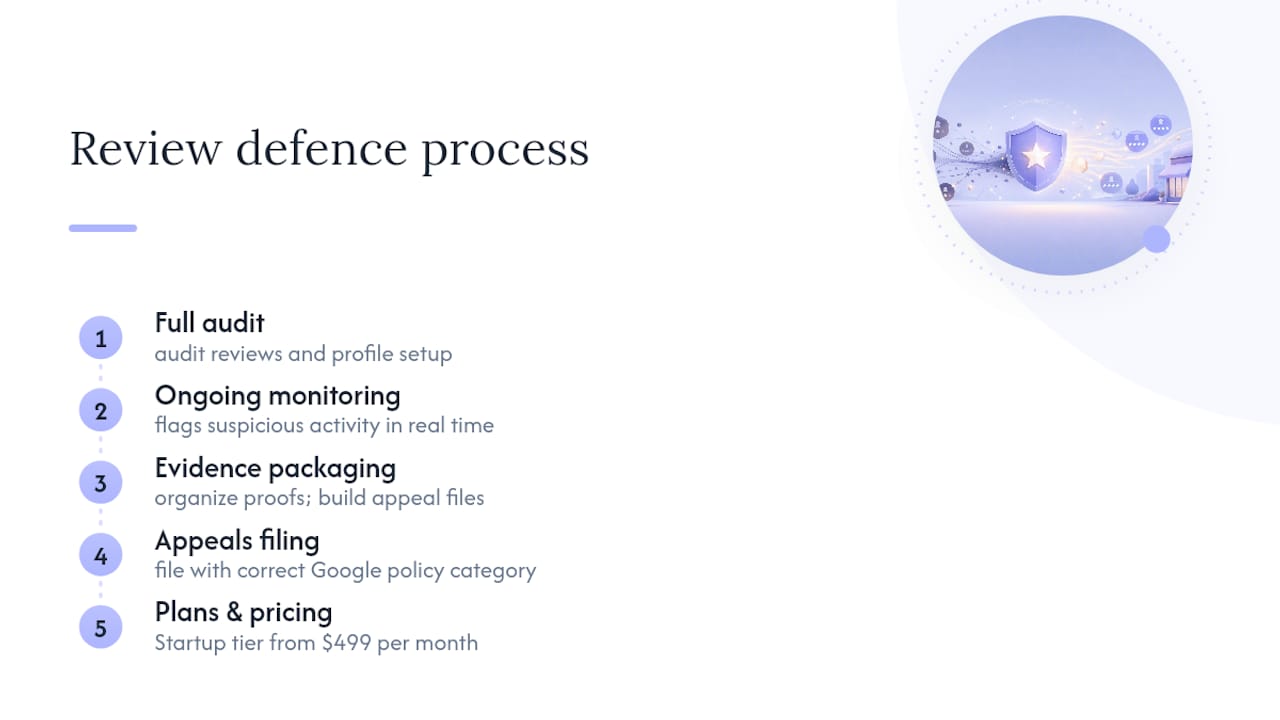
A typical engagement starts with a full audit of your current reviews and profile setup, followed by monitoring that flags suspicious activity as it happens rather than weeks later. From there, evidence gets organized and appeals get filed with the correct policy category attached the first time, which is where most self-managed appeals fall short. This work sits alongside the broader Google services and analytics support Tech Business Development already provides for small and local businesses.
Plans start with the Startup tier at $499 per month, with Growth and Scale tiers available as your monitoring and marketing needs expand. If a fake review just landed on your profile, get in touch and Tech Business Development can start building your evidence file this week.
Official pages worth bookmarking
Keep these on hand before your next review dispute:
- Report inappropriate reviews on your Business Profile, Google’s own reporting and Reviews Management Tool walkthrough
- Report merchant extortion, for review-bombing tied to payment demands
- ReportFraud.ftc.gov, the FTC’s consumer fraud reporting channel
- For general reputation upkeep beyond Google disputes, Baby Love Growth’s step-by-step reputation guide covers day-to-day response habits worth pairing with the removal process above.
Sources
- Report inappropriate reviews on your Business Profile - Google Business Profile Help
- How to report suspicious online reviews - FTC Consumer Advice
- Federal Trade Commission announces final rule banning fake reviews and testimonials - FTC
- How to remove Google reviews - BrightLocal
FAQ
How do I filter out fake Google reviews?
Look for brand-new reviewer accounts, single-review profiles, near-identical wording across multiple businesses, and content describing services or locations you don’t have. Reviews matching these patterns are the ones worth reporting under a specific policy category.
How do I stop someone from posting fake Google reviews about my business?
You can’t block a specific person from reviewing you, but you can report each fake review as it appears, document the pattern for a coordinated-campaign appeal, and file a merchant extortion report if the reviews come with a payment demand.
How do I delete a fake review?
You can’t delete it yourself; only Google can remove a review, and only if it violates a specific Maps content policy. Flag the review, then submit evidence through the Reviews Management Tool to request removal.
Is faking Google reviews illegal?
It can be. The FTC’s final rule on fake reviews and testimonials allows federal enforcement against manufactured or paid reviews, separate from whatever Google decides on its platform.
How much does managed review monitoring cost?
Tech Business Development’s monitoring and Google Business Profile support starts with the Startup plan at $499 per month, with current pricing details available on the pricing page.