Cloud cost optimization: a practitioner's playbook for 2026


Fix cloud spend in this order: get visibility into every dollar, delete what’s idle, rightsize what’s left, automate the routine work, then buy commitment discounts once your usage settles. Skip a step, especially the last one, and you lock in waste instead of savings.
Here’s the sequence that actually works this week:
- Enable detailed billing exports (AWS Cost and Usage Reports, Azure Cost Management exports, or GCP’s billing export to BigQuery) so every dollar has a source.
- Tag your top 20 spend items by owner, environment, and product so someone is accountable for each line.
- Kill idle resources: unattached volumes, orphaned load balancers, forgotten dev environments running on nights and weekends.
- Rightsize the compute instances flagged as over-provisioned by your cloud provider’s native recommendations.
- Turn on autoscaling and shutdown schedules for anything that doesn’t need to run 24/7.
- Only after usage stabilizes, evaluate reserved instances or savings plans.
Pro Tip: Never buy a one or three-year commitment before you’ve rightsized. Committing to capacity you’re about to shrink is the single most common way teams turn a cost problem into a contract they regret.
Key Takeaways
Cutting cloud costs works when teams fix visibility and waste before rightsizing, and rightsize before ever buying a commitment discount.
| Point | Details |
|---|---|
| Sequence matters most | Visibility, then waste removal, then rightsizing, then automation, then commitments, in that exact order. |
| Waste is bigger than expected | Audits often find 30 to 70 percent waste hiding in typical cloud bills before any optimization work starts. |
| Track unit economics, not just the bill | Cost per customer or per transaction shows whether optimization is working better than total spend alone. |
| Governance makes savings stick | FinOps practices, tagging, and budget guardrails keep waste from creeping back after the first cleanup sprint. |
| Get outside help for the sequencing | Tech Business Development runs cloud cost assessments and automation work for small businesses without a dedicated FinOps team. |
Table of Contents
- What is cloud cost optimization, really?
- Why cloud cost optimization is a strategic issue now
- Core principles: governance, FinOps, and accountability
- Tactical best practices: what to fix and in what order
- How to evaluate cloud cost management tools
- The first 30, 90, and 180 days of an optimization program
- What to measure once optimization is running
- Where teams lose the savings they just made
- A 30-day operational checklist for cost sprints
- What to do this week
- How Tech Business Development thinks about this work
- Get a cloud cost assessment without hiring a full FinOps team
- Sources
What is cloud cost optimization, really?
Cloud cost optimization is the set of actions that reduce your cloud bill without hurting performance: rightsizing instances, automating scaling, switching pricing models, and killing waste. Cloud cost management is different. It’s the visibility layer, the reporting and monitoring that tells you what you’re spending and where, according to IBM’s breakdown of cloud cost management. Management tells you the story. Optimization changes the ending.
The core mechanisms of optimization include:
- Rightsizing — matching instance size and type to actual workload demand.
- Automation — scheduling, autoscaling, and lifecycle policies that remove manual toggling.
- Pricing model changes — moving stable workloads to reserved capacity or savings plans.
Management is a report you check monthly. Optimization is a discipline you run continuously, because workloads shift, teams launch new services, and yesterday’s rightsized instance is next month’s under-provisioned bottleneck.
Why cloud cost optimization is a strategic issue now
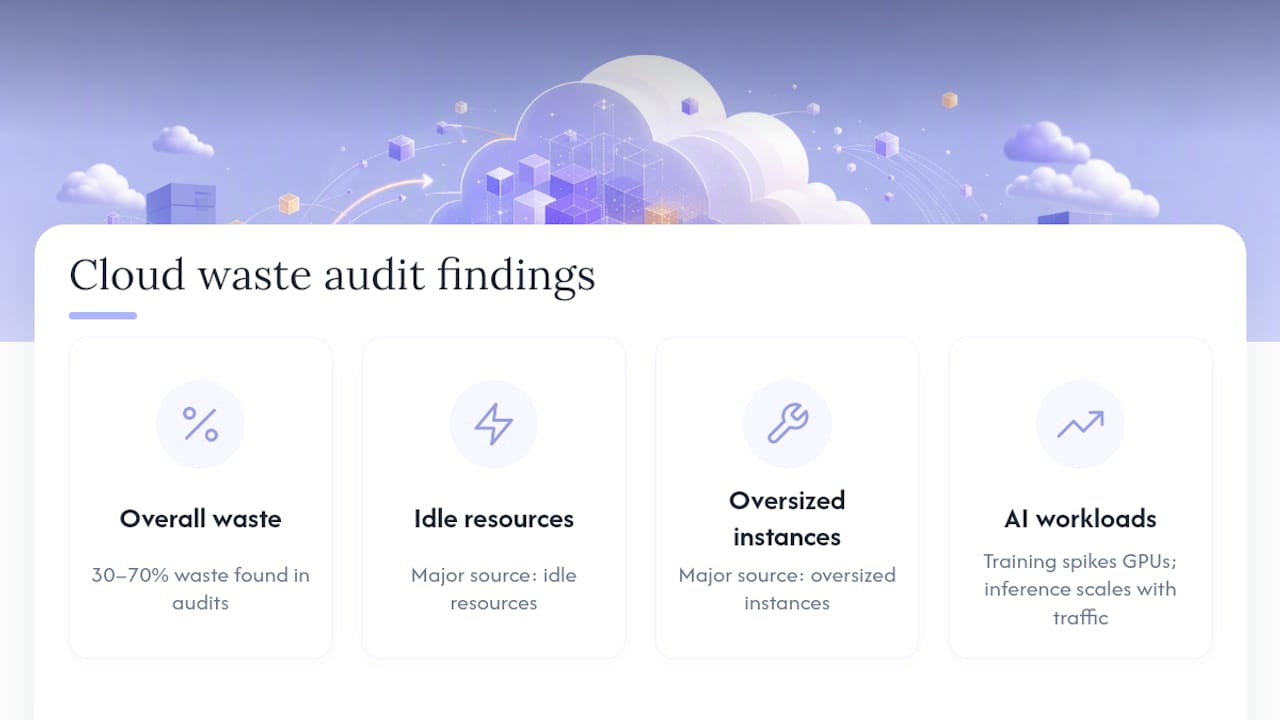
Cloud spend isn’t a rounding error anymore. Cloud market scale continues to grow significantly according to Gartner forecasts, and that scale means even small percentage leaks translate into real budget damage. Vendor-agnostic audits routinely find 30 to 70 percent waste sitting inside typical cloud bills, mostly from idle resources and oversized instances nobody revisited after launch.
The smarter lens isn’t the total bill. It’s unit economics: cost per customer, cost per transaction, cost per API call. A shrinking total bill next to a growing customer base tells you optimization is working. A flat bill next to a shrinking customer base tells you the opposite, even if the invoice number looks fine.
AI workloads complicate this fast. Training jobs spike GPU usage unpredictably, while inference costs scale with traffic in ways that don’t follow traditional capacity planning. Microsoft’s guidance on cloud cost optimization treats this as a continuous discipline precisely because workload variability, especially from AI, keeps changing the baseline.

Pro Tip: Track model training and inference costs separately from day one. Training is a batch expense you can schedule around off-peak pricing; inference scales with production traffic and needs its own budget line, or you’ll never know which one is driving the spike.
Core principles: governance, FinOps, and accountability
None of the tactics below survive contact with a real organization without governance behind them. That’s what FinOps is: the operating model that gets engineering, finance, and product working from the same numbers instead of three separate spreadsheets. The FinOps Foundation defines it as the discipline that aligns those groups around cost-aware decisions, and it’s the difference between a one-time cleanup and a habit that sticks.
Three controls make that alignment real:
- Tagging and cost allocation. If a resource doesn’t have an owner tag, nobody will ever volunteer to shut it down. Tag by team, environment, and product from day one, not as a retrofit project six months in.
- Chargeback or showback. Chargeback bills teams for their actual usage; showback just reports it. Either one turns an abstract cloud bill into a number a team lead actually feels.
- Guardrails. Budgets with alerts, anomaly detection that flags a spend spike within hours instead of at month-end, and approval flows for anything above a threshold.
Wiz Academy’s research on cloud cost optimization points to the same foundation: rightsizing and tagging only work at scale when FinOps processes and shared tooling enforce them consistently, rather than depending on individual engineers remembering to clean up after themselves.
A practical governance checklist looks like this:
- Every resource has an owner tag within 30 days of creation.
- Budgets are set per team or product, with alerts at 80 percent of forecast.
- Anomaly detection runs daily, not monthly.
- Any commitment purchase above a set dollar threshold needs FinOps sign-off.
- Quarterly reviews compare actual spend against forecast, by team.
Pro Tip: Assign a FinOps owner before you assign a tool. Software can flag an anomaly, but only a person with budget authority can decide whether that spike is a mistake or a legitimate new feature launch.
Tactical best practices: what to fix and in what order
This is the execution list. Work through it roughly in order, because the early items fund the later ones, and buying commitments before you’ve done the cleanup work just locks in whatever waste you haven’t found yet.
-
Establish visibility and tagging first. Impact: high, since you can’t optimize what you can’t see. Effort: low to medium, mostly a policy and enforcement problem, not a technical one. Test that every new resource gets tagged automatically via infrastructure-as-code templates.
-
Delete idle and orphaned resources. Unattached storage volumes, unused load balancers, forgotten test environments. Impact: high and immediate. Effort: low. Risk: minimal if you snapshot before deleting anything that might still be referenced elsewhere.
-
Rightsize compute instances. Most cloud providers’ native tools (AWS Cost Explorer’s rightsizing recommendations, Azure Advisor, GCP’s recommender) will flag over-provisioned instances automatically. Impact: high, often a substantial portion on affected instances. Effort: medium, because you need to test performance after downsizing. Risk: watch for workloads with unpredictable peak demand; rightsize based on peak, not average, for anything customer-facing.
-
Turn on autoscaling and shutdown schedules. Dev and test environments running 24/7 when nobody touches them after 6 PM are pure waste. Impact: medium to high depending on how many non-production environments you run. Effort: low. Risk: low, but confirm nothing depends on those environments staying warm overnight.
-
Apply storage lifecycle policies. Move cold data to cheaper storage tiers automatically after a set retention period. Impact: medium, compounds over time. Effort: low once configured. Risk: low, but confirm retrieval costs on the cheaper tier before committing large datasets.
-
Fix networking costs. NAT gateway data transfer charges and cross-availability-zone traffic are two of the most commonly overlooked line items. VPC endpoints can eliminate a chunk of NAT gateway spend for traffic that stays inside the cloud provider’s network. Impact: medium. Effort: medium, requires network architecture review. Risk: low.
-
Tune observability and logging costs. Logging and monitoring bills grow quietly until they’re a shockingly large line item. Sampling and cardinality reduction are effective levers here, cutting log volume without losing the signal that actually matters for debugging. Impact: medium to high, since this is a frequently underestimated cost centre. Effort: medium. Risk: low if you keep sampling rates high enough for critical error paths.
-
Tune container and Kubernetes resource requests. Over-provisioned pod requests are one of the most common Kubernetes cost leaks; teams set generous CPU and memory requests “to be safe” and never revisit them. Impact: medium to high in container-heavy environments. Effort: medium, needs monitoring data to set requests accurately. Risk: medium if you cut too aggressively; test under real load before rolling out broadly.
-
Right-size databases and manage snapshot retention. Oversized database instances and years of unused snapshots quietly accumulate cost. Impact: medium. Effort: medium. Risk: medium, since database changes need more careful testing than stateless compute.
-
Buy commitment discounts last. Once usage has stabilized after the steps above, reserved instances or savings plans can meaningfully cut costs on steady-state workloads. Impact: high, but only on the load you keep after rightsizing. Effort: low. Risk: high if purchased too early, since you lock in capacity you no longer need.
AI workloads need a couple of extra levers layered on top: specialized GPU instance selection matched to the actual model size, scheduling training runs for off-peak windows where pricing allows, and watching dataset storage and transfer costs, which scale fast with large training corpora and multi-region model deployment.
How to evaluate cloud cost management tools
Pick tools by capability, not by name recognition. Every serious option in this space, from AWS Cost Explorer to Azure Cost Management + Billing to Google Cloud’s cost management suite, gives you native visibility inside its own cloud, but multi-cloud shops usually need something layered on top.
Run your evaluation against these dimensions:
- Visibility depth. Does it show resource-level detail, or just aggregate totals by service? Good tooling normalizes billing data and adds resource-level context so you can map every dollar to an owner.
- Automated optimization vs. recommendations only. Some platforms just flag opportunities; others take action, like automatically resizing an instance or shutting down idle capacity.
- Multi-cloud coverage. Tools like CloudZero, Apptio (Cloudability), and Finout are built for multi-cloud from the start, unifying AWS, Azure, and GCP billing into one view. Harness Cloud Cost Management and nOps lean toward automation-first remediation. Datadog Cloud Cost Management ties cost data directly to the observability metrics you’re already tracking. Spot.io focuses on automated compute optimization, particularly around spot instance usage.
- Pricing model. Some tools charge flat SaaS fees, others take a percentage of realized savings. Know which model you’re agreeing to before you sign.
- Integrations. Confirm it connects to your billing APIs, your tagging scheme, your CI/CD pipeline, and your infrastructure-as-code tooling, not just a dashboard you check once a week.
- Reporting and chargeback support. Can it produce a report your finance team can actually use for chargeback, broken down by team and product?
Pilot on a single account or business unit first. Define success metrics before you start (target savings percentage, time to first actionable recommendation), and measure time-to-value, not just eventual savings. A tool that takes six months to show results isn’t a pilot success, no matter what the eventual number looks like.
The first 30, 90, and 180 days of an optimization program
Sequencing matters more than intensity. A rushed cleanup in week one without governance behind it just means the waste creeps back in month four.
Combined, structured 30-day sequencing like this can deliver 30 to 50 percent overall savings for many accounts, though the exact number depends heavily on how much waste existed going in. Quick wins in the first 30 days fund the tooling and headcount needed for the deeper rightsizing work later.
What to measure once optimization is running
A cost dashboard that only shows the total bill tells you almost nothing about whether optimization is working. Track these instead:
- Total bill broken down by product or team, not just cloud provider.
- Cost per customer or cost per transaction, the real signal of whether unit economics are improving.
- Commitment coverage, the percentage of stable workload covered by reserved capacity versus on-demand pricing.
- Tagging coverage, since untagged resources are the ones nobody’s watching.
- Anomaly rate, how often spend spikes outside expected bounds.
- Savings realized versus forecast, so you can catch optimization plans that look good on paper but underdeliver.
Report engineering-facing metrics weekly and executive-facing unit economics monthly. Tie the chargeback report directly to team budgets so cost awareness isn’t just a dashboard nobody opens, it’s a number that shows up in someone’s quarterly review.
Where teams lose the savings they just made
Even a well-run optimization sprint can bleed value back out through predictable mistakes.
- Buying commitments before rightsizing. This is the single costliest sequencing error. Practitioners consistently warn against locking in reserved capacity before cleaning up idle and over-provisioned resources, because you end up committing to waste for one to three years.
- Weak tagging discipline. Untagged resources are invisible to accountability, no matter how good your dashboard is.
- Ignoring observability costs. Logging and monitoring bills grow silently and are easy to overlook until they’re a top-five line item.
- Over-provisioned Kubernetes requests. “Safe” resource requests that never get revisited quietly waste compute at scale.
- No lifecycle automation. Manual cleanup processes decay within weeks; automated lifecycle policies don’t.
Pro Tip: If you’re not sure whether you’re ready to buy a commitment, you’re not ready. Wait one more billing cycle after your rightsizing work to confirm the new baseline holds steady.
A 30-day operational checklist for cost sprints
Teams running a focused cost sprint tend to follow a similar rhythm: audit first, act second, lock in gains third.
- Week 1: Enable billing exports, establish tagging policy, identify top 20 cost drivers.
- Week 2: Delete idle and orphaned resources; document what was removed for rollback if needed.
- Week 3: Rightsize compute based on actual utilization data, not guesswork; test performance before finalizing.
- Week 4: Automate scaling and shutdown schedules; set up anomaly detection and budget alerts.
Keep a rollback window open for every change, especially rightsizing. If a downsized instance causes a performance regression, you want to reverse it within hours, not discover the problem during a busy sales period a month later. Sequencing discipline, test-before-finalize habits, and a documented rollback plan are what separate a sprint that sticks from one that gets undone by the next incident.
What to do this week
Assign owners now, not after the next budget review:
- Cloud engineer: Enable billing exports and delete the top five idle resources identified this week.
- FinOps lead: Set tagging policy and stand up budget alerts on the three highest-spend accounts.
- Product owner: Confirm which non-production environments can go on a shutdown schedule without disrupting a team.
Quick wins (tagging, idle resource cleanup) should happen immediately. Rightsizing and commitment purchases need a business case for leadership, framed around unit economics, not just the total bill.
How Tech Business Development thinks about this work
Cloud cost optimization succeeds when the sequencing holds and someone owns accountability past the first cleanup sprint. That’s the pattern Tech Business Development sees repeatedly in work on the role of data in cost reduction: teams that skip visibility work or buy commitments too early undo their own savings within a quarter. The fix isn’t a smarter tool. It’s a disciplined process, run by someone accountable for the outcome, not just the dashboard.

If your team is weighing whether to build this capability internally or bring in outside structure, that’s exactly where a focused engagement earns its cost.
Get a cloud cost assessment without hiring a full FinOps team
Most small businesses don’t need a full-time FinOps hire to get their cloud bill under control. They need someone to run the sequencing correctly once: audit spend, kill the waste, rightsize the fleet, and set up the automation so it doesn’t creep back. That’s the gap Tech Business Development fills for small and local businesses that can’t justify a dedicated cloud infrastructure team but still lose real money every month to unmanaged spend.

Tech Business Development’s automation and workflow services cover exactly this kind of infrastructure modernization work, paired with the dashboards and reporting that keep the savings visible to whoever’s holding the budget. If your cloud bill has crept up without a clear reason why, the practical next step is a straightforward cost assessment: get in touch through Tech Business Development to scope where the waste actually is before you spend another quarter guessing.
Sources
- Cloud Cost Optimization: Principles that still matter | Microsoft Azure Blog
- What is Cloud Cost Management? | IBM
- cloud-cost-optimization | Wiz Academy
- Cloud Cost Reduction: The Complete 2026 Guide
- FinOps Foundation
- Gartner forecasts worldwide public cloud end-user spending to total $723 billion in 2025
Recommended