Reach leads in minutes with lead capture automation for SMBs

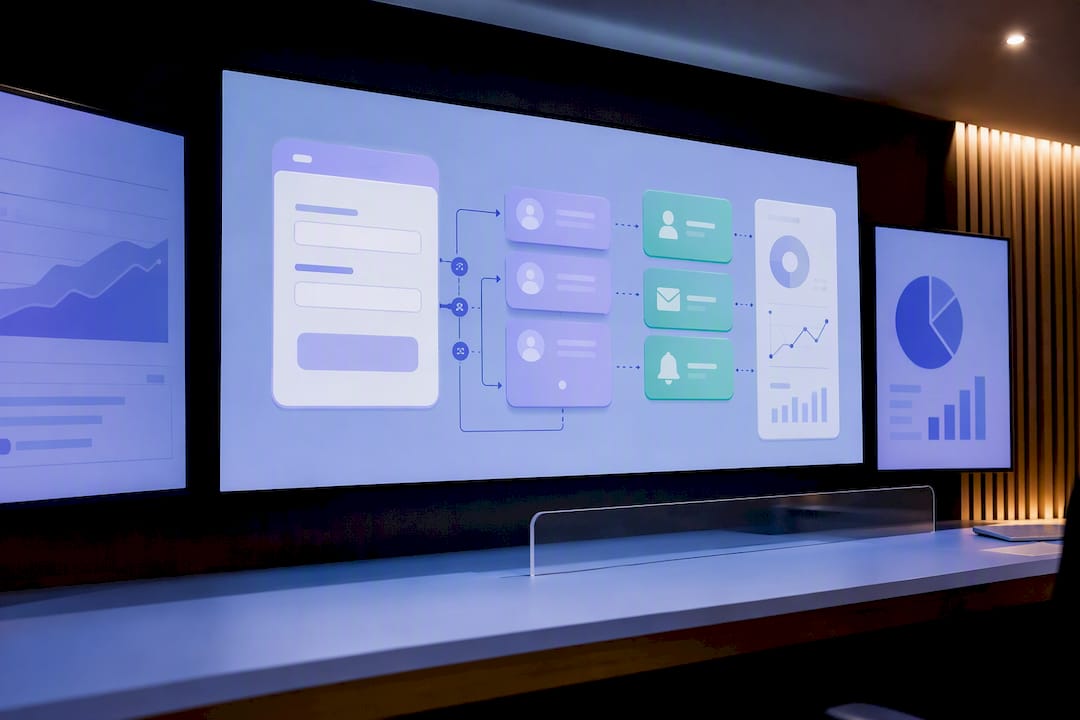
Automate lead capture by wiring every intake channel, forms, chat, ads, into an enrichment and routing pipeline that hands qualified leads to sales within minutes, not days. Done right, this cuts time-to-first-contact, lifts qualified lead rates, and removes the manual triage that buries hot prospects in a shared inbox. Your first move: pick one capture channel, map where its data currently dead-ends, and paste in one enrichment or routing snippet this week.
TL;DR:
- Automating lead capture reduces manual triage by enabling instant qualification, enrichment, and routing, significantly shortening the time to first contact.
- The most common methods include forms with webhooks, chat and AI agents, lead-ad connectors, SDK snippets, and AI prospecting, each suited to different business sizes and needs.
- Setting up a reliable pipeline requires mapping the five key links: capture source, enrichment layer, CRM, notification, and analytics, with proper validation at every step.
- Enrichment should focus on key data points like email domain, company size, and job title, which can be automated to prioritize the most promising leads.
- Regular review and maintenance of routing rules, data hygiene, and consent capture are essential to prevent automation from degrading over time.
Table of Contents
- What does it actually mean to automate lead capture?
- How do you map your tech stack for capture automation?
- How do you set up automation for each capture channel?
- What should you enrich and score at the moment of capture?
- How should you route leads and notify your sales team?
- What automated nurture sequence should start at capture?
- How do you measure and optimise your capture automation?
- Why does automation break down without solid governance?
- How Tech Business Development sets up capture automation for clients
- What most teams get wrong about their own routing rules
- Ready to put this into production without building it yourself?
- Sources
What does it actually mean to automate lead capture?
Lead generation automation captures contact details, qualifies leads against your criteria, and starts follow-up without anyone touching a spreadsheet, as one recent tool roundup frames it. The mechanics run in four stages: capture, enrich, route, nurture. Get any one stage wrong and the others inherit the problem, which is why picking the right entry method matters more than most business owners assume.
Five approaches dominate right now, and each fits a different size of business and comfort with tech.
- Form plus webhook setups. A standard website form that fires a webhook into a CRM or sheet the moment someone submits. Cheap, fast to launch, and the default for most small businesses. The trade-off is limited intelligence. It captures; it doesn’t think.
- Chat and AI agents. Conversational widgets that ask qualifying questions live, then push structured data downstream. These agents can qualify, score, and even book a call inside the same conversation, according to platform data from a conversational capture vendor. Setup takes longer because you’re scripting logic, not just fields.
- Lead-ad connectors. Native integrations from Meta or LinkedIn lead-ad forms into a CRM. Fast to launch, but attribution gets messy if you’re not careful about mapping ad-level UTMs into the same record.
- SDKs and one-line snippets. A single code snippet drops onto any page and auto-captures form activity without a developer sprint, an approach built into low-code, sheet-first tools aimed at teams that need a fast win before investing in deeper integration.
- AI prospecting agents. These go further than capture. They actively source and qualify leads outside your existing funnel, useful once you’ve outgrown reactive capture and want outbound volume too.
If you’re a solo operator or a five-person shop, start with the form-and-webhook or snippet path. You’ll be live in an afternoon. If you’re running paid social at volume, the lead-ad connector earns its complexity quickly because manual export from ad platforms is where most leads currently go to die. Chat agents make sense once your traffic is high enough that a human can’t answer every visitor in real time. AI prospecting agents are a stage-two investment, not a starting point, because they assume your inbound process is already clean.
How do you map your tech stack for capture automation?
Every working setup, no matter how simple or elaborate, reduces to five links in a chain: capture source → enrichment layer → CRM → notification layer → analytics. Draw that chain on paper before you touch a single tool. Most broken automations trace back to a missing link in this exact sequence, not to a bad tool choice.
The minimal version looks like this: a form or chat widget captures the lead, a lightweight enrichment step adds context (company size, role, domain), the record lands in your CRM, a notification fires to the right rep, and the event gets logged for analytics. That’s it. Plenty of small businesses run profitably on exactly this five-link chain for years.
The extended version adds layers as volume and complexity grow:
- Middleware (Zapier, Make, or similar) when you’re connecting tools that don’t talk natively, buying flexibility at the cost of one more thing to maintain.
- Server-side tracking so ad-blockers and browser privacy settings don’t silently drop conversion events before they ever reach your CRM.
- Verification vendors that check email and phone validity at the point of capture, catching bad data before it pollutes your pipeline instead of during a quarterly cleanup.
- A personalization engine that adjusts nurture content based on enrichment data, useful once you have enough lead volume to justify segmented messaging.
On integration patterns: native integrations (form tool connects directly to CRM) are the least fragile but the least flexible. Middleware is more flexible but adds a failure point every time an API changes. Custom API work gives full control and the most durability, but it needs a developer and ongoing maintenance. Whichever pattern you choose, build dedupe logic and consent capture into the very first step. A lead that hits your CRM twice, or without a documented opt-in timestamp, causes more damage later than a missing enrichment field ever will.
How do you set up automation for each capture channel?
Each channel needs its own setup checklist. Skipping steps here is where most “automated” systems quietly fail within the first month.
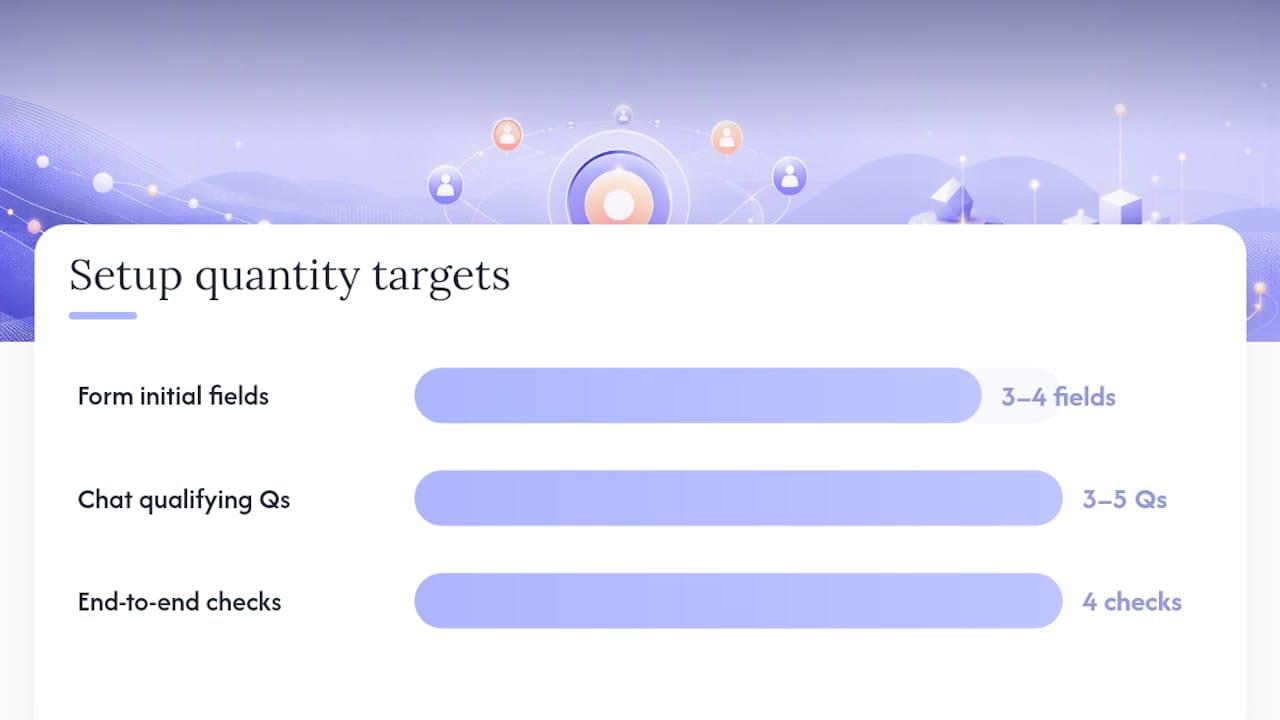
- Website forms. Keep the initial form to three or four fields, name, email, and one qualifying question. Use progressive profiling to ask for more (company size, budget range) on a second interaction rather than scaring off first-time visitors. Add a honeypot field or reCAPTCHA to block bot submissions, and make sure UTM parameters are captured as hidden fields, not just logged in your analytics platform. Fire the CRM-bound event server-side, not just client-side, so ad-blockers don’t silently swallow the conversion.
- Pop-ups and exit-intent widgets. Same field discipline as forms. Trigger on scroll depth or exit intent rather than a timer, since timed pop-ups tend to interrupt the highest-intent visitors mid-read.
- Chat and AI agents. Script a qualifying flow of three to five questions that mirrors what a human rep would ask on a discovery call. Build a fallback path for when the agent can’t answer, routing straight to a human or a booking link rather than looping the visitor. Retain session context so a visitor who leaves and returns doesn’t have to restate their name and problem.
- Lead-ads. Sync submissions to your CRM within minutes, not hours, using a native integration or middleware job that runs on a short interval. Double-check that ad-level UTM and campaign ID fields map into CRM custom fields; this is the single most common place attribution data quietly disappears.
Run an end-to-end test on every channel before calling it live: submit a test lead, confirm it lands in the CRM with full enrichment fields populated, confirm a notification fires, and confirm it appears in your analytics dashboard. If any one of those four checks fails, the channel isn’t ready.
Pro Tip: Submit a deliberately “ugly” test lead, a fake company, a free email domain, a nonsense phone number, and watch where it lands. If it sails through untouched, your validation rules aren’t doing their job.
What should you enrich and score at the moment of capture?
The leads worth answering fastest usually reveal themselves in the data you already have, if you bother to enrich it. Email domain tells you whether someone used a work address or a personal Gmail account. Company size and industry, pulled from a firmographic lookup, tell you whether this is a real fit for what you sell. Role or job title tells you if you’re talking to a decision-maker or a researcher gathering options for someone else. Intent phrases typed into a form’s open-text field (“need this by next month,” “comparing vendors”) often carry more signal than any demographic field.

Platforms built for this kind of enrichment can verify and score a lead automatically the moment it’s captured, routing it based on that score through native integrations or webhooks rather than waiting for a human to review it.
A simple scoring rubric doesn’t need to be complicated to work:
- +20 points for a business email domain instead of a free consumer one.
- +15 points for company size within your target range.
- +15 points for a title containing “owner,” “director,” “manager,” or “head of.”
- +10 points for an intent phrase suggesting urgency or budget.
- -25 points for a disposable or clearly invalid email address.
A significant portion of the enrichment value comes from just three fields, domain, company size, and title, so if you’re resource-constrained, start there rather than trying to enrich everything at once.
Feed the resulting score directly into your routing rules, and surface it in the CRM as a visible field on the lead record, not buried in a notes tab where reps will never look for it.
How should you route leads and notify your sales team?
Speed of first contact is the single biggest lever automated capture gives you, and routing rules decide whether that speed actually gets used. Three routing strategies cover almost every business:
- Round-robin for teams where any rep can handle any lead equally well; simple, fair, and easy to audit.
- Territory or skill-based routing when leads need a specific rep’s product knowledge or geographic coverage.
- Score-based routing, sending the highest-scoring leads to your best closers first, which platform data suggests improves the odds of successful contact because reps engage the hottest leads before they go cold.
Notifications need to hit wherever your reps actually work, not just their inbox. A Slack message with lead name, score, and a one-line summary works well for teams already living in Slack. An SMS alert for leads above a certain score threshold catches reps between meetings. A templated email works as a backup channel but should never be the only alert for a hot lead.
Set an explicit SLA: a target time-to-first-contact of under five minutes for scored leads above your threshold, under one hour for everything else. Instrument that SLA by timestamping the moment of capture against the moment of first CRM activity logged against that record, then review the gap weekly, not quarterly.
Pro Tip: If your average time-to-first-contact keeps creeping up despite good routing rules, the bottleneck usually isn’t the automation, it’s rep capacity. Fix staffing before you fix the workflow.
What automated nurture sequence should start at capture?
A working nurture sequence starts the second a lead lands and doesn’t wait for a human to notice them. A workable default template:
- Immediate confirmation email, sent within seconds, acknowledging the submission and setting expectations for next contact.
- First value email, 24 hours later, offering something genuinely useful (a guide, a case study, a comparison) rather than a sales pitch.
- Second value email, three days later, addressing a common objection or question tied to what they expressed interest in.
- Booking CTA email, five to seven days later, inviting a call or demo directly.
- SMS reminder, timed to follow shortly after the booking email for leads who opened but didn’t click.
Automation should hand a lead to a human the moment behaviour signals real intent, a reply, a booking click, a score crossing your threshold, rather than running the full sequence regardless. For lower-intent leads that never trigger those signals, let the sequence continue on autopilot; forcing a rep conversation too early just wastes their time and irritates the lead. Personalize at minimum by first name and the specific interest that triggered capture, and mix channels deliberately: email carries the substance, SMS carries urgency. Full hand-off logic and follow-up templates are worth mapping out in more detail in a dedicated follow-up automation guide.
How do you measure and optimise your capture automation?
Four numbers tell you almost everything: time-to-first-contact, qualified lead rate, lead-to-opportunity conversion, and cost-per-lead by source, a set of metrics that tracks closely with what tool guides recommend for a reason: each one exposes a different failure point in the pipeline.
Attribution has to be wired before launch, not patched in afterward. Tag every capture source with consistent UTM parameters, push conversion events into GA4 through server-side tagging so ad-blockers don’t distort your numbers, and make sure the CRM outcome, closed-won, closed-lost, still-open, syncs back to the original source record. Without that closed loop, you’ll know which channel generates volume but never which channel generates revenue. A full setup walkthrough for this wiring lives in this marketing analytics workflow guide.
A large share of leads generated through paid channels never receive a scored or enriched follow-up when tracked manually, which is the gap capture automation exists to close.
Run these tests first:
- A/B test form length: three fields versus six, and measure completion rate against lead quality, not just volume.
- Test notification channel speed: does Slack or SMS produce faster first contact than email alone?
- Test one routing rule change at a time, score threshold up or down five points, and hold everything else constant for at least two weeks before judging the result.
Why does automation break down without solid governance?
Automation multiplies whatever process you already have. If your sales-stage definitions are vague or your ideal customer profile is fuzzy, automating capture just means broken rules run faster and reach more leads before anyone notices, a point that holds regardless of which tool you pick. Fix the process on paper before you automate it in code.
Four things need regular attention or the system quietly degrades:
- Data hygiene, checking for duplicate records and malformed fields on a set schedule, not only when someone complains.
- Dedupe logic, tested against real edge cases like a lead submitting twice under slightly different email spellings.
- Consent capture, with a timestamp and source logged on every record, not assumed.
- Enrichment audits, spot-checking that vendor data is still accurate; firmographic data goes stale faster than most people expect.
Assign a quarterly review to one named owner, sales ops or marketing ops, who checks routing rules still match current territory and rep assignments, confirms scoring weights still reflect closed-won patterns, and retires any rule nobody remembers writing.
How Tech Business Development sets up capture automation for clients
Tech Business Development builds these pipelines for small and local businesses that don’t have an in-house ops team to design one from scratch. The typical engagement starts with mapping the client’s existing capture points, website forms, ad accounts, GMB listings, then wiring an enrichment and routing layer that connects to their CRM and notification tools. Clients running this kind of setup consistently report cutting manual lead triage time and reaching new leads inside minutes instead of days. A common configuration pairs CRM workflow automation with Google Tag Manager and GA4 for attribution, letting a small team run a pipeline that would otherwise require a dedicated ops hire.
What most teams get wrong about their own routing rules
The biggest lesson from watching capture systems run in production isn’t technical. It’s that teams set a routing rule once, see it work for a month, and never revisit it. One client’s score threshold, set correctly at launch, started sending mid-tier leads to their top closer within a quarter, simply because a new ad campaign shifted the lead mix and nobody adjusted the weights.
The fix took ten minutes: recalibrating the score threshold against three months of actual closed-won data instead of the original guess. That’s the whole lesson. Automation doesn’t drift because the tools fail, it drifts because the humans stop checking the assumptions the rules were built on. Pull your last quarter of closed deals this week and check whether your current scoring weights would have flagged them as hot leads. If they wouldn’t have, your rules are already stale.
— Shayan Shirvani
Ready to put this into production without building it yourself?
You’ve now got the full architecture: capture, enrich, route, nurture, measured against real KPIs. Building all of it yourself means stitching together a snippet tool, an enrichment vendor, middleware, and CRM workflows, then maintaining every connection as each vendor updates their API. Tech Business Development runs this entire pipeline as a managed build, so you skip the trial-and-error and go live with a system already tuned to your lead volume and sales process.

Engagements typically start with a discovery call and a pilot on your highest-volume capture channel, usually live within two to three weeks, before expanding into full CRM integration and ongoing management. That staged approach suits businesses at any size: a rapid setup for a single form and notification chain, or a full build spanning lead-ads, chat agents, and multi-stage nurture. If you’re also weighing outside technical partners for parts of the stack, resources like HarbourSide Digital’s services overview cover the connective tissue between marketing tools worth knowing about. To see current service tiers and start a discovery conversation, visit Tech Business Development’s services page and book your pilot scope this week.
Sources
- 12 Best Tools for Automated Lead Generation 2026
- How to enrich B2B account data for better ICP definition
- Capture Website & Ad Leads Straight Into Google Sheets | LeadToSheet
Recommended